 ply3d
ply3dDesign the part. Print it today.
Native parametric CAD for the Mac, made for 3D printing. Sketch with dimensions, add holes and ISO threads, or ask your AI assistant for the part.
14 days free: nothing is charged until the trial ends. For Macs with Apple Silicon and macOS 14 or later.
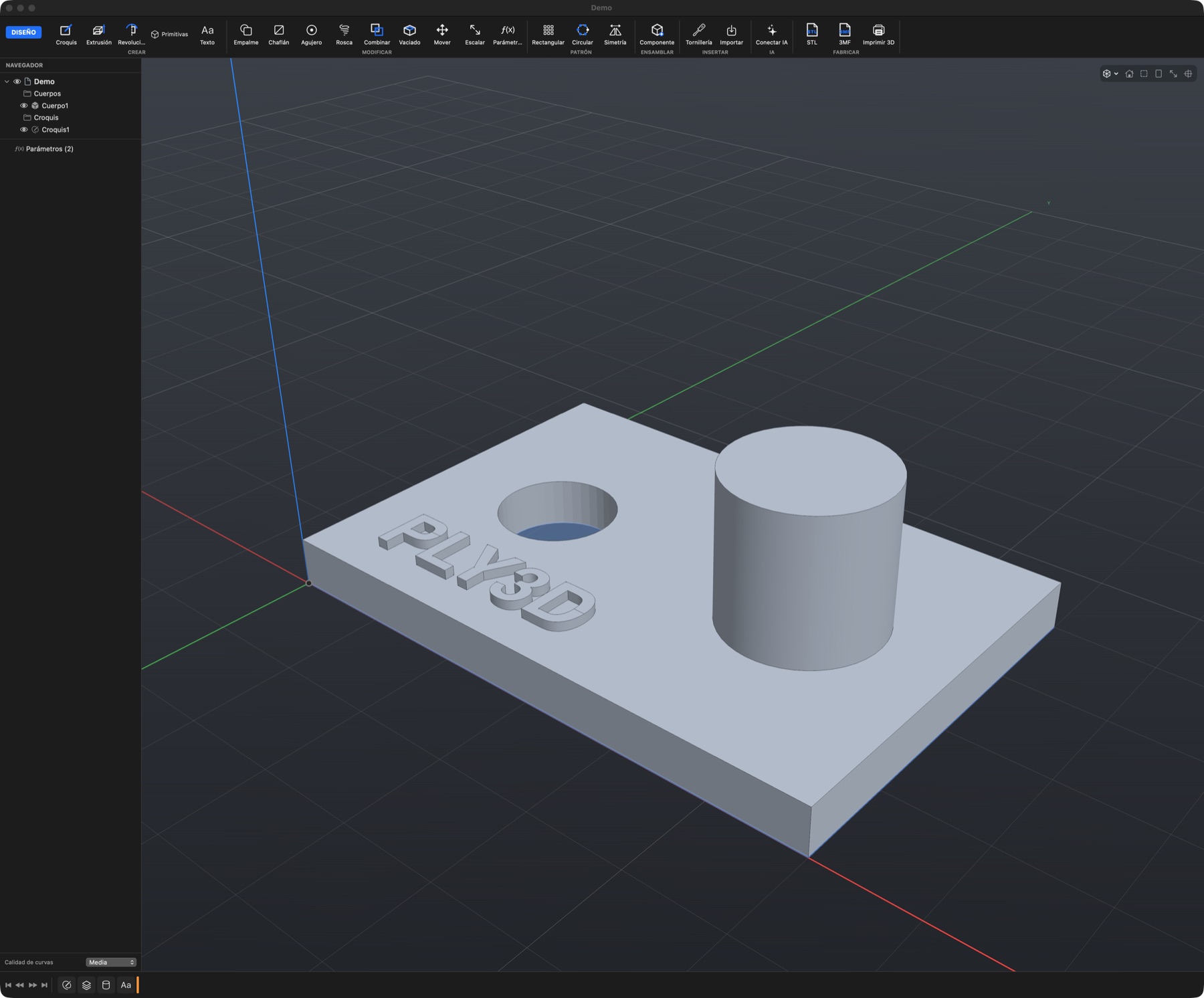
From request to printer
The workflow of a professional CAD, trimmed to what a printed part needs.
Ask or sketch
Tell your assistant “a 60 × 40 mm box with a snap-fit lid”, or draw a sketch with constraints and dimensions.
Tune it with parameters
Any size can be a parameter. Change the width and the whole part rebuilds from the timeline.
Send it to the slicer
Export 3MF or STL, or open it straight in Bambu Studio, PrusaSlicer, Cura or OrcaSlicer.
What it takes for parts that fit
Constrained sketches
Lines, arcs, circles and polygons with dimensions that take formulas like width/2 + 3.
Parametric timeline
Extrude, revolve, shell, patterns and mirror. Go back to any step and change it.
Holes, threads and ISO fasteners
Counterbored and countersunk holes, modelled threads, and M2–M12 screws, nuts and washers with print clearance.
Fillets and chamfers
Round or bevel the edges of a solid. A circular edge is picked whole.
Opens what you have
Imports STEP, IGES, STL, 3MF and OBJ, including Bambu Studio and PrusaSlicer projects.
Ready to print
Exports 3MF with one object per body and its colour, and warns when a body isn't watertight.
Your AI assistant models for you
Connect Claude, Cursor or any MCP client. The assistant builds the part with parameters, looks at it, measures it and tells you how to adjust it. Every step lands in the timeline and undoes with ⌘Z.
The connection is local: the server runs on your Mac and you use your own assistant account. How to connect an AI.
One plan, every feature
Start with 14 days free and everything on. You add a card to start, but you are only charged when the trial ends.
- Every feature, including the AI connection
- Up to 2 Macs per account
- All updates while you're subscribed
- Cancel any time
Payments are handled by Lemon Squeezy. If you already subscribe, manage it from the buy page.
What if I cancel during the trial?
Nothing is charged. The app goes read-only: you can open and view your designs, but not edit or export them.
Student or teacher?
The education license is free for non-commercial use. Request an education license.
Questions
Do I need a card for the trial?
Yes: you add it to start the trial, but nothing is charged for 14 days. If you cancel before it ends, you pay nothing.
How do I start?
Download the app, create your account and click Start 14-Day Trial. You can also start the trial on this website with the same email and then sign in to the app.
On how many Macs can I use it?
Two at a time with the same account. To move it to another, sign out on one of them.
Does it work offline?
Yes. The license is checked once a day and keeps working for up to 3 days without a connection.
Which AI assistants can I connect?
Claude Desktop, Claude Code, Cursor and any MCP-compatible client. You use your own assistant account; Ply3D doesn't charge for the AI.
Can I open my Fusion files?
.f3d files are closed: export them from Fusion as STEP or 3MF and open those in Ply3D.
How do I cancel?
From your subscription portal. You keep using the app until the end of the period you paid for.
Does it run on Intel Macs?
Not yet: it needs a Mac with Apple Silicon and macOS 14 or later.